
You make your videos
yourself.
You don't have an hour to spend on captions. Generate, fix the two or three words that lag behind, export, post.
Whisper transcribes your TikToks, Reels and Shorts and times every word. You fix a typo or tighten a word's timing right on the timeline, without exporting and re-importing an SRT on every try.
Waitlist members get priority on the 50 licenses at €59 · Mac + Windows · Free sign-up
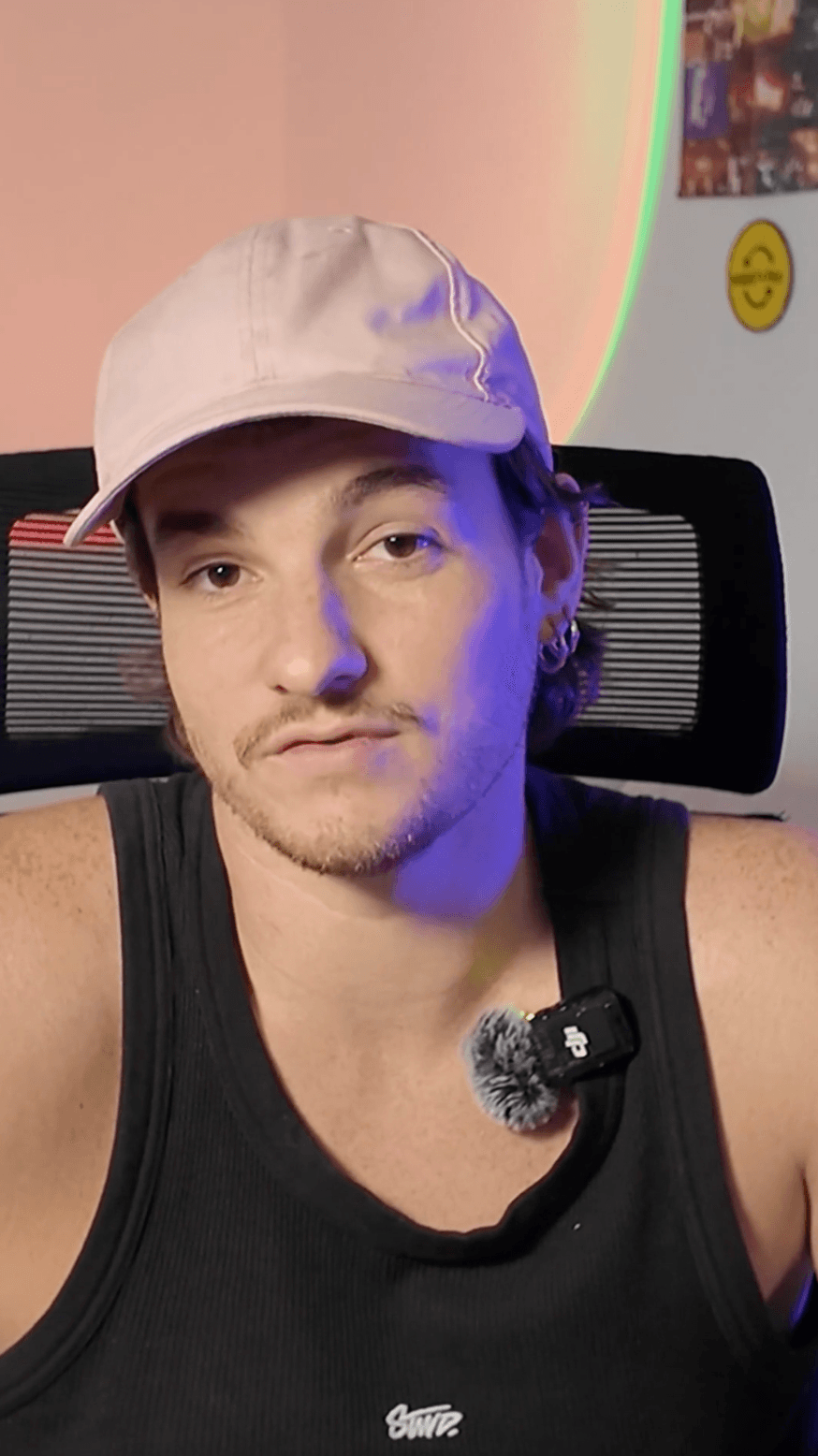
The message gets lost.
Your message stays readable.
Same engine, two uses: a one-off shot polished to the end, or a production rhythm without starting from scratch on every video.
You don't have an hour to spend on captions. Generate, fix the two or three words that lag behind, export, post.
Several videos a day, often with a template already defined. Fix what the AI gets wrong fast, keep word-by-word control, and get an SRT compatible with the template you already use.
An editor built for captions. Text, timing and style, all in one screen.
Import your video. Caption Build generates synced captions, right on your machine.
Adjust timing, font, colors and highlighting. Stay in control of the result.
Export your video with burned-in captions, no watermark, ready for TikTok, Reels or Shorts. Or grab the SRT to finish in your editing software.
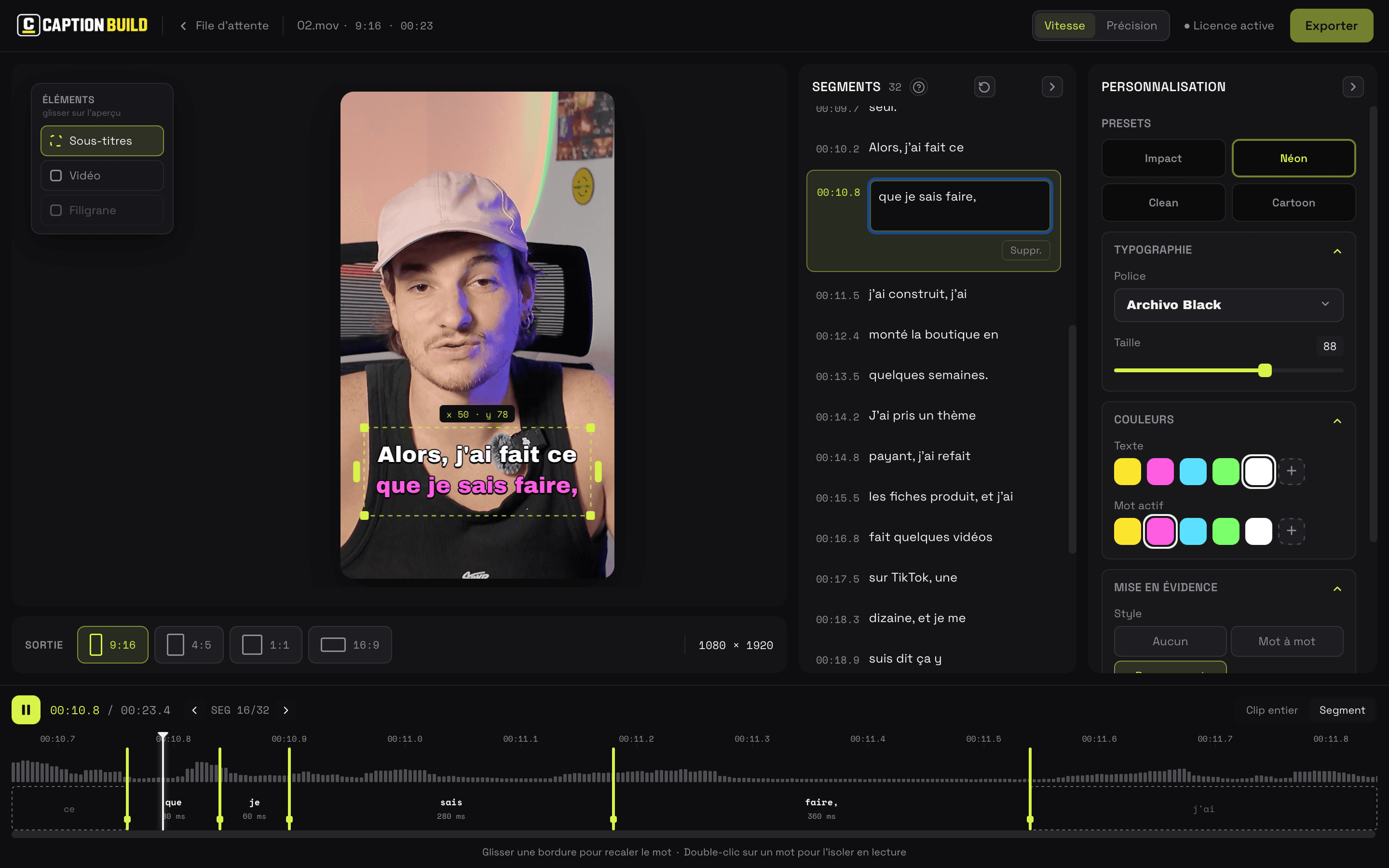
Real screenshot of the app in development. The interface may evolve before the beta.
Transcription, generation, export: everything runs locally. You can work offline, even on confidential footage for your clients.
From a Reel to a YouTube video, adjust the framing. Already editing in Premiere or DaVinci Resolve? Export the text and timing as SRT, with no imposed style.
French and English planned at launch · Mac and Windows · App in development
A lifetime license for all your videos. Not one more subscription to make worthwhile every month.
Waitlist members get priority to get one of the licenses at €59.
One-time. No subscription. No monthly limit.
Launch is focused on captions. Saved presets and other improvements come next.
French and English transcription, word-by-word timing, style customization, video and SRT export.
Saved, shareable presets, then animated emojis. To reuse a client's settings from one video to the next.
Caption translation to prepare multiple versions of the same content.
A dedicated rendering engine to enrich per-word animations, badges and shapes.
Indicative roadmap, no announced dates. Features beyond V1.0 are not included in the launch scope; priorities may evolve based on user feedback.
Do you caption your own videos? Join the waitlist to be notified when the beta opens. You'll be able to test the app on your own videos, share your needs, and help pick the next improvements.
Beta coming soon · Free sign-up · No card required
I'm Stephen Build. I develop Caption Build solo and share the process on YouTube. The idea: a tool dedicated to captions, that runs on your computer and that you don't need to rent every month.
Do you create for yourself or for clients? What interests me during the beta is understanding how you work and where the app can really help.
The beta, exports, upcoming features: answers to the essential questions.
Another question? Write to usNot yet. Caption Build is still in development. The beta will open soon for the waitlist. No exact date has been announced yet.
First and foremost creators who caption their own short-form videos (TikTok, Reels, Shorts), but also editors who work for clients. V1.0 focuses on transcription, styling and export; saved presets are planned next.
No. Caption Build is planned as a lifetime license with a one-time purchase, no subscription. Future updates will be included.
Not at launch. V1.0 lets you adjust your captions' style. Saving and sharing presets is planned next on the roadmap.
Yes. Transcription, caption generation and export are processed locally. Videos aren't sent to a server to be processed.
You can export a video with the styled captions burned in, no watermark, or an SRT file containing only the text and timing. The SRT imports into compatible software, like Premiere and DaVinci Resolve.
French and English are planned at launch. One license covers Mac and Windows, on two machines at the same time. Other languages are on the roadmap.
You'll be notified when the beta opens. You'll then be able to share your feedback on your editing workflow. With your consent, your testimonial and profile could be featured on the site. Sign-up is free and doesn't guarantee being featured.
The founder price is €59, one-time payment, limited to the first 50 licenses sold. It's followed by a €99 price, then the planned final public price of €149 at official launch. Once purchased, your license is yours for life: no subscription, no monthly limit. Waitlist members get priority, in sign-up order, to get one of the licenses at €59.
Join the waitlist and help build a captioning tool that fits the way you create.
Join the waitlistMac + Windows · No subscription · No card required
Beta coming soon
No subscription